
AI Music Generator From Text: How Prompt-to-Music Works and What You Can Make
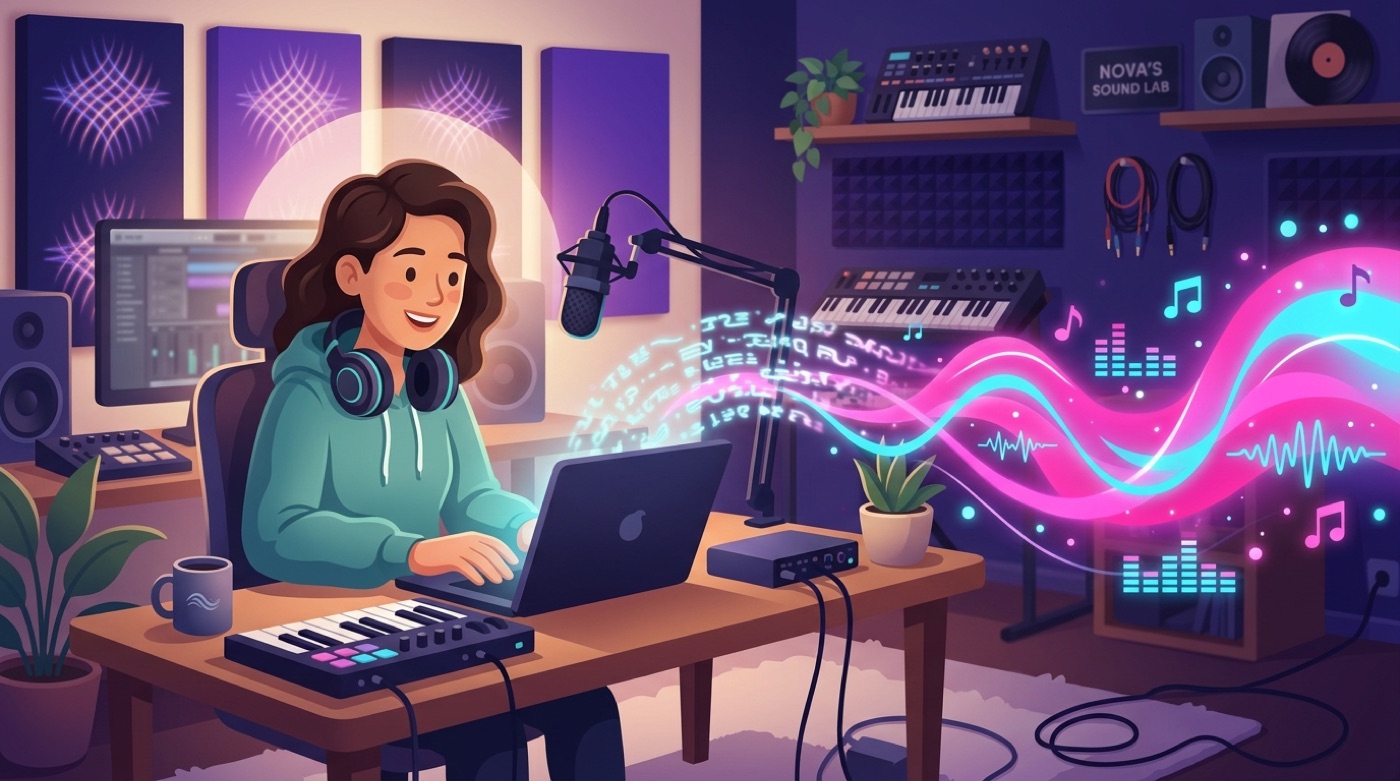
An AI music generator from text turns a written description — a genre, a mood, a scene — into a finished piece of music in seconds. It is a generative AI model that reads a prompt and synthesizes original audio, including instrumentals, vocals, and lyrics. Google’s Lyria is one example of a high-fidelity generator built this way, and the same underlying idea powers most text-to-music and prompt-to-music tools on the market today.
This overview covers what an AI song generator actually is, how the prompt-to-music process works under the hood, what kinds of tracks you can produce, how to write prompts that get you closer to what you imagined, and a short, plain-language note on rights and licensing.
What Is an AI Music Generator From Text?
An AI music generator from text is a type of generative AI system: instead of composing with an instrument or a DAW, you describe the music you want in plain language and the model produces it. The category sits inside the broader field of AI-assisted music generation, which has grown quickly since text-to-music platforms first reached the public.
Text in, music out
The core idea is simple: you type a natural-language prompt, and the tool synthesizes original audio — anything from a short loop to a complete song with vocals. Most platforms return a result in well under a minute. Suno, Google’s Lyria 3, Mubert, and Loudly are widely used examples of text-to-music AI generators, each with a slightly different focus, from full songs to background loops.
Why people use it
The appeal is speed and cost. A track from an AI music maker typically costs somewhere between a few cents and a couple of dollars, compared with $200 to $2,000 or more for a commissioned composer. No DAW skills, no session musicians, no waiting days for a draft. That makes text-to-music AI especially useful for creators, marketers, game developers, and podcasters who need usable audio on a tight budget and an even tighter deadline.
How Prompt-to-Music Works
Turning a sentence into a waveform is not a single step — it is a short pipeline, and understanding it helps explain why some prompts produce better results than others.
From words to a waveform
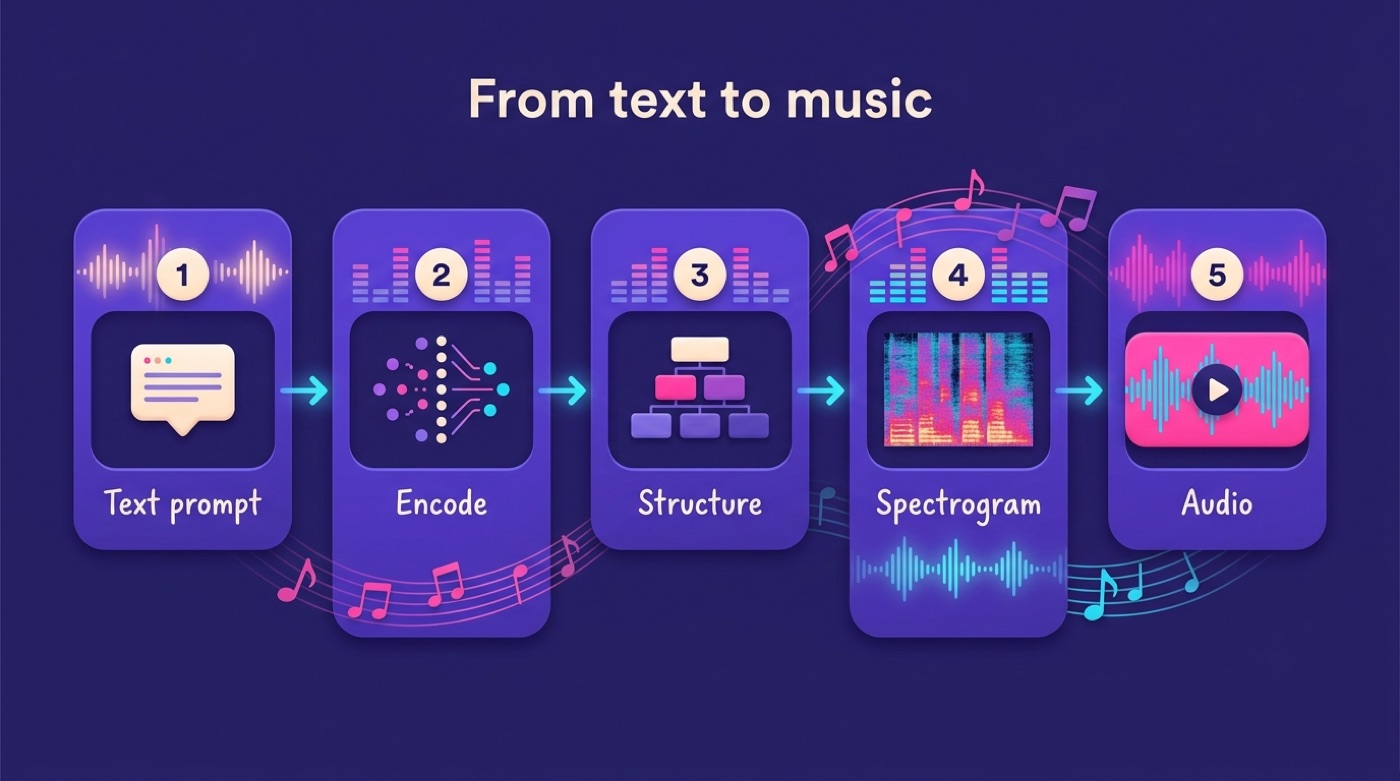
The model first encodes the meaning of your prompt — genre, mood, tempo, instrumentation — into a numerical representation. From there it plans a musical structure, generates a spectrogram (a visual, image-like representation of sound), and decodes that spectrogram into audible audio. Under the hood, most systems rely on transformer or diffusion architectures, the same families of models behind text and image generation, adapted for sound.
The five-stage pipeline
- Text encoding — the prompt is parsed and its musical attributes are extracted.
- Structure planning — the model maps out verses, choruses, and transitions.
- Spectrogram generation — a visual representation of the intended sound is produced.
- Audio decoding — the spectrogram is converted into a playable WAV or MP3 file.
- Post-processing — light mastering and cleanup are applied before the track is delivered.
Most generators produce several variations from a single prompt, since the same description can map to more than one plausible piece of music.
What You Can Make
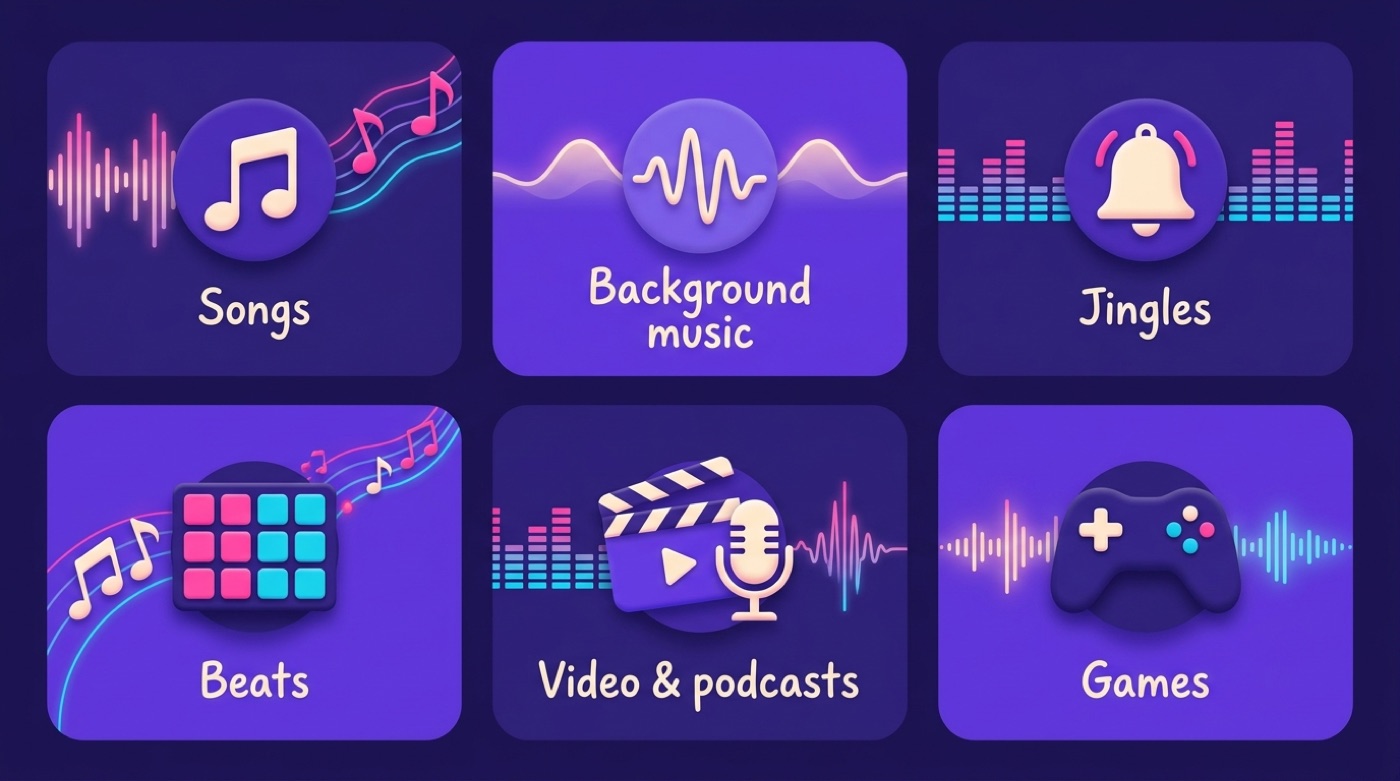
An AI song generator is not limited to full songs. It typically covers a range of formats built around the same core engine.
Full songs and instrumentals
You can generate complete songs with vocals and lyrics, or pure instrumentals with no vocal track at all. Structure tags such as [Verse], [Chorus], and [Bridge] let you mark where each section should go, which helps the model keep the arrangement coherent across a multi-minute track.
Background music, jingles and beats
The same tools generate shorter, purpose-built audio: background beds for videos and podcasts, jingles in the 15-30 second range, stingers at 3-5 seconds, and beats or loops for social clips and games. Matching the format to the use case — a short stinger instead of a full song, for instance — usually gets a cleaner result than trying to trim a longer track down after the fact.
How to Write a Good Prompt
A vague prompt produces a vague track. A well-structured one gives the model something concrete to work with.
The six ingredients
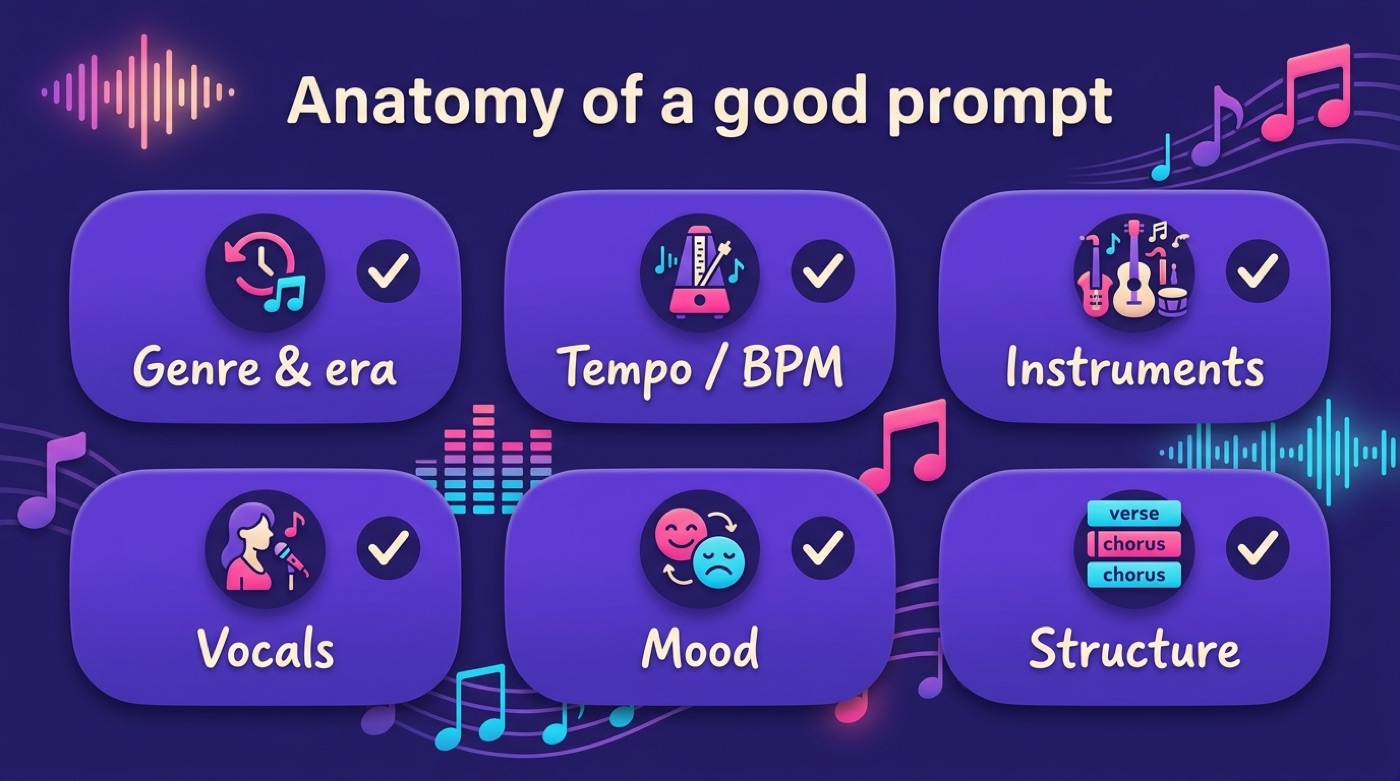
A strong prompt for an AI music generator from text covers six elements:
- Genre and era
- Tempo or BPM
- Instruments
- Vocal style
- Mood
- Structure
Using actual musical vocabulary helps: “Minor key ballad in D minor, 65 BPM, legato strings” gives the model far more to work with than “sad slow music.” Detailed prompt guides, including ImagineArt’s write-up on AI music prompts, consistently point to the same core elements.
Mood first, and what to avoid
Mood is the single most important element in the prompt. A word like “happy” is too broad to be useful; something like “euphoric but slightly bittersweet, like the last day of summer” gives the model a far more specific target. Two things consistently hurt results: overloading a prompt with conflicting details, and leaning on vague filler phrases like “cool beat.” Structure, tempo, and mood should take priority over a long list of instruments.
| Prompt style | Example | Result quality |
|---|---|---|
| Vague | “sad slow music” | Generic, unpredictable |
| Specific | “Minor key ballad in D minor, 65 BPM, legato strings” | Closer to intent |
| Overloaded | Ten conflicting genre/mood tags at once | Muddled, inconsistent |
| Mood-first | “Euphoric but slightly bittersweet” | Focused, coherent |
Choosing Genre, Mood, Tempo and Vocals
Genre and tempo aren’t arbitrary settings — they interact, and knowing the typical pairing helps you write a tighter prompt.
Genre and tempo pairing
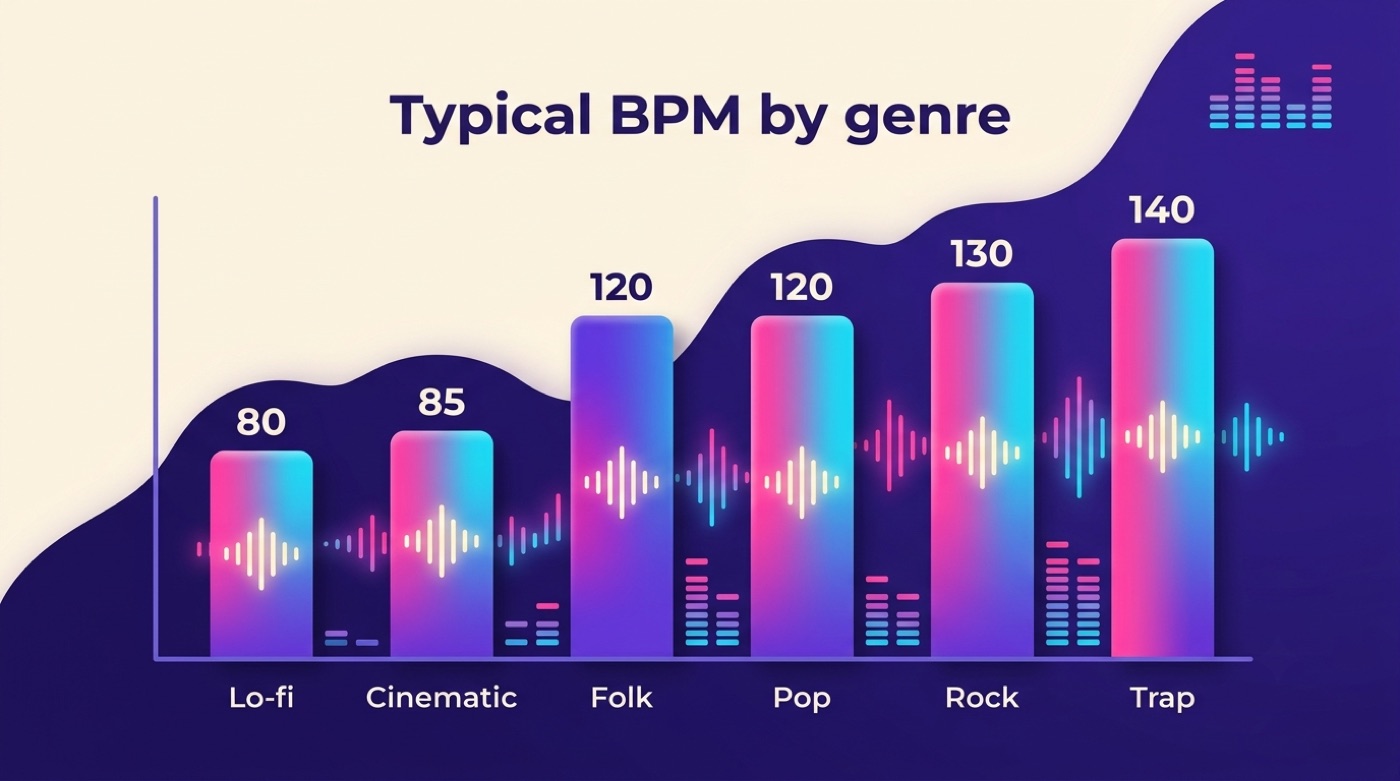
Tempo sets the energy of a track, and different genres cluster around recognizable BPM ranges.
| Genre | Typical BPM | Typical mood |
|---|---|---|
| Lo-fi | 70-90 | Relaxed, contemplative |
| Cinematic | 70-100 | Atmospheric, dramatic |
| Folk | ~120 | Warm, narrative |
| Social/short-form | ~115 | Upbeat, energetic |
| Pop | ~120 | Bright, catchy |
| Rock | ~130 | Driving, powerful |
| Trap | ~140 | Intense, punchy |
Vocals, lyrics and structure
For vocal tracks, specify both the gender and the texture of the voice — something like “airy female soprano” is far more useful than just “female vocals.” You can also supply your own lyrics or a lyrical theme instead of letting the model write them. Marking structure with tags like [Verse 1], [Chorus], and [Bridge] keeps a longer song organized rather than meandering.
Export, Variations and Polish
Getting a usable file out of the generator is the last mechanical step, and it is where a track goes from “draft” to “ready to publish.”
Formats and stems
Most platforms give you a choice of export options:
- WAV, for maximum quality
- MP3, for a smaller file size
- 44.1 or 48 kHz sample rate
- Stems — individual instrument and vocal layers, for remixing separately
Since a single prompt/AI music generation typically yields several variations, it’s worth generating a handful and picking the strongest one rather than settling for the first result.
The last 20%
A common pattern with AI-generated music: 80% of the track comes together almost instantly, and the remaining 20% — trimming, EQ, level adjustments — is where the real polish happens. A fully finished, release-ready track usually takes somewhere in the range of 30 to 90 minutes of hands-on work after the initial generation.
To go from prompt to a polished, shareable track, the general workflow looks like this:
- Write a prompt covering genre, tempo, instruments, vocals, mood, and structure.
- Generate several variations from the same prompt.
- Pick the strongest take and download it as WAV or MP3.
- If stems are available, separate them for finer control.
- Trim the intro/outro and adjust levels.
- Apply light EQ or mastering if the platform supports it.
- Export the final file for your video, podcast, or release.
Rights and Licensing: A Plain-Language Note
Licensing is one of the most-asked questions about AI-generated music, and it is also the area where the rules vary the most from platform to platform.
Licensing and commercial use
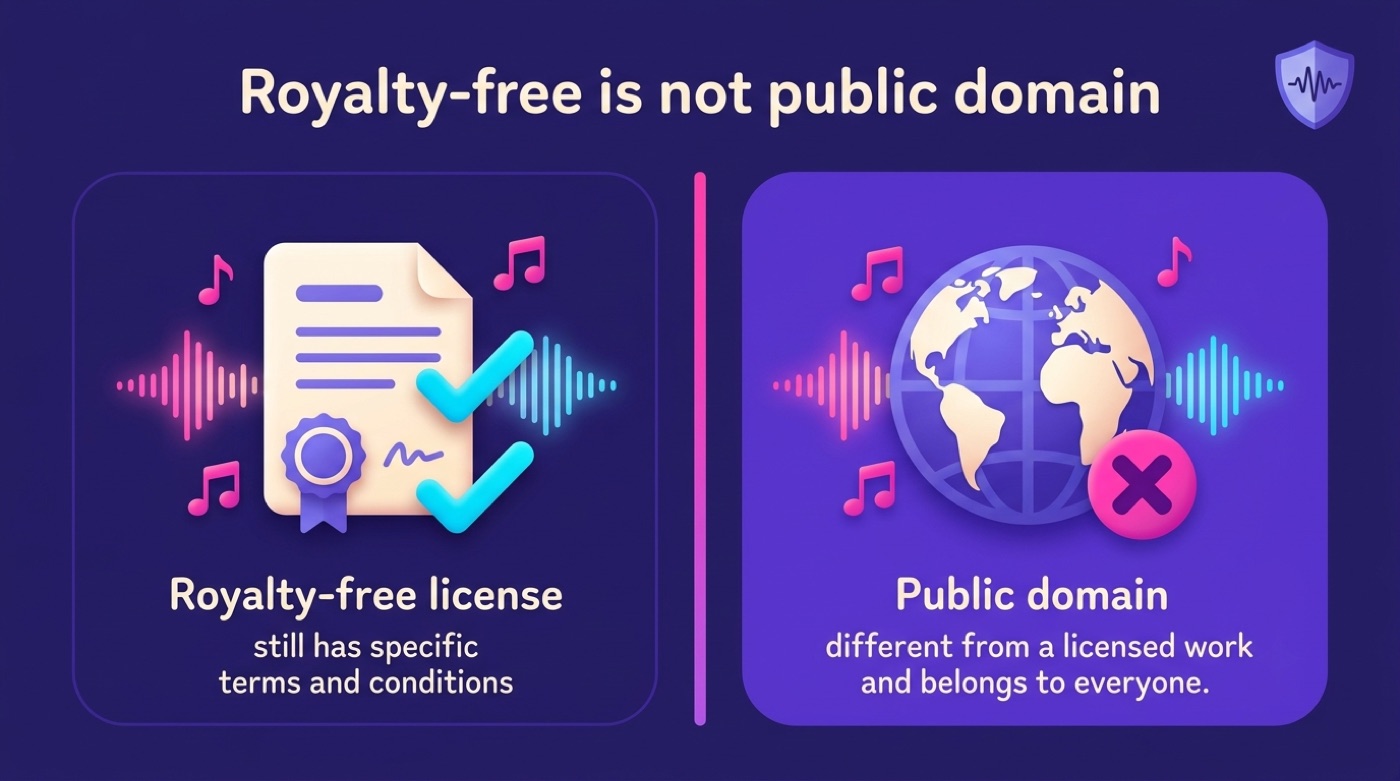
Many AI music generators offer royalty-free tracks with a commercial-use license bundled into paid plans — but the exact terms differ from one platform to the next, and it is worth reading them before publishing anything commercially. A track advertised as “100% royalty free” is not automatically in the public domain; it usually still comes with a specific license you agreed to when you generated it.
Ownership, watermarks and a disclaimer
Copyright ownership of AI-generated music is genuinely unsettled and depends on the platform’s terms and the jurisdiction you’re in. The U.S. Copyright Office has weighed in directly on works with no human creative input.
In the Office’s view, it is well-established that copyright can protect only material that is the product of human creativity. […] The Office will not register works produced by a machine or mere mechanical process that operates randomly or automatically without any creative input or intervention from a human author.
U.S. Copyright Office
On the technical side, tracks generated with Google’s Lyria carry a SynthID watermark — an imperceptible signal embedded at the moment of creation that helps identify AI-generated audio even after compression or format changes. Separately, platforms like YouTube’s Content ID system can still flag AI-generated music if it resembles copyrighted material in their database, regardless of how the track was made.
This section is general information, not legal advice. If commercial use or ownership matters for your specific project, consult a qualified attorney before you publish.
Explore these AI music guides
- How to write AI music prompts
- AI music prompt examples
- Best genres for AI music generators
- AI-generated background music
- AI music for videos
- AI music for podcasts
- AI music for games
- AI-generated jingles
- AI beats and loops from text
- Are AI music generators royalty-free?
- Commercial use of AI music
- Who owns AI-generated music?
Frequently Asked Questions
- How does AI generate music from text?
The model encodes your prompt, plans a musical structure, generates a spectrogram, and decodes it into audio — the whole process typically takes well under a minute.
- What is the best AI music generator from text?
There isn’t one universal winner — platforms like Suno, Google’s Lyria 3, Mubert, and Loudly each specialize in different formats, from full songs to background loops, so the best choice depends on what you’re making.
- Can I use AI-generated music commercially?
Often yes, if the platform’s plan includes a royalty-free or commercial license — but terms differ by platform, so always check the license before publishing. This is not legal advice.
- How do you write a good prompt for AI music?
Specify genre, tempo/BPM, instruments, vocals, and — most importantly — mood, using concrete musical terms rather than vague descriptions.
- Is AI music generation free?
Many platforms offer a free tier with limits, such as shorter track lengths (for example, up to 30 seconds), while full-length tracks and commercial rights are usually reserved for paid plans.
- Who owns the copyright to AI-generated music?
It depends on the platform’s terms and your jurisdiction; in many places, output with no human creative input receives limited or no copyright protection. This is general information, not legal advice.